

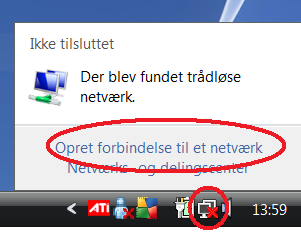
Klik på netværk ikonet nederst til højre og vælg “Opret forbindelse til et netværk”.
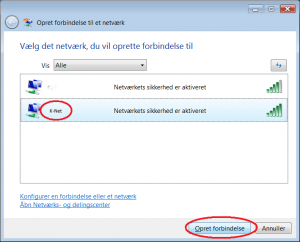
Vælg “K-Net” fra listen og klik “Opret forbindelse”.
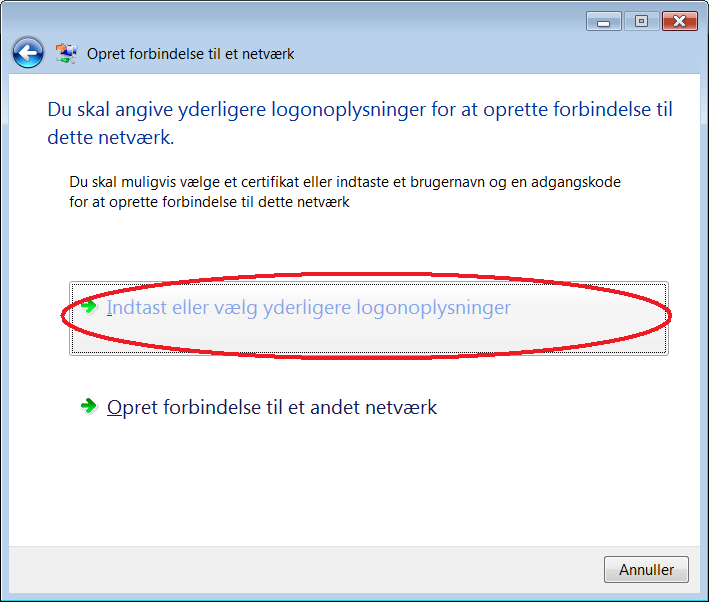
Klik på “Indtast eller vælg yderligere logonoplysninger”
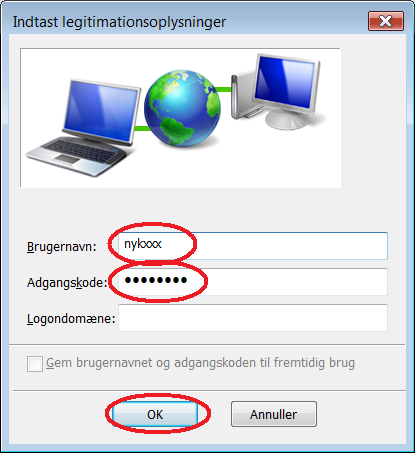
Indtast dit nybro brugernavn og adgangskode og klik “OK”.
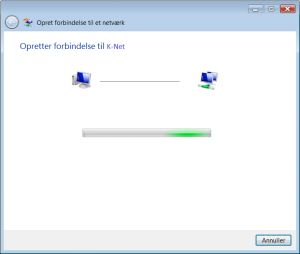
Vent mens der oprettes forbindelse.
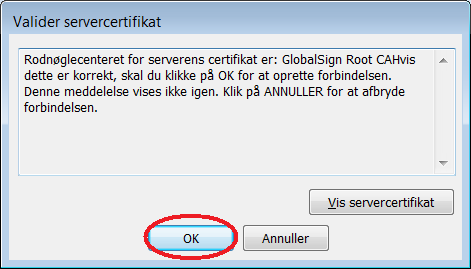
En advarsel popper op. Vælg “OK”.
Klik “OK”.
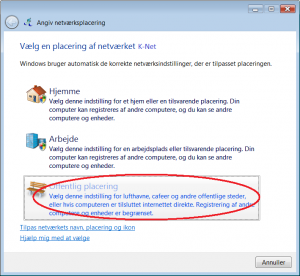
Klik “Offentlig placering”.
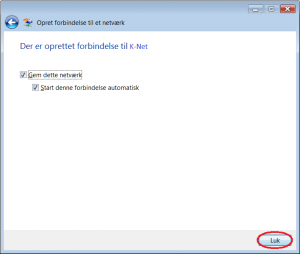
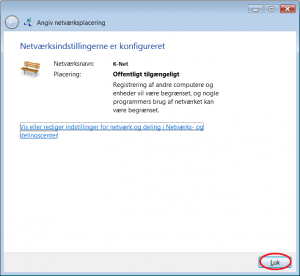
Klik “Luk”.
Du skulle nu være forbundet til det trådløse netværk.Click on the network icon at the bottom to the right and click “Connect to a network”.
Select “K-Net” from the list and click “Connect”.
Click on “Insert or select further logon information”.
Insert your nybro username and password and click “OK”.
Wait while the connection is made.
A warning pops up. Select “OK”.
Click “OK”.
Click “Publick network”.
Click “Close”.
You should now be connected to the wireless network.