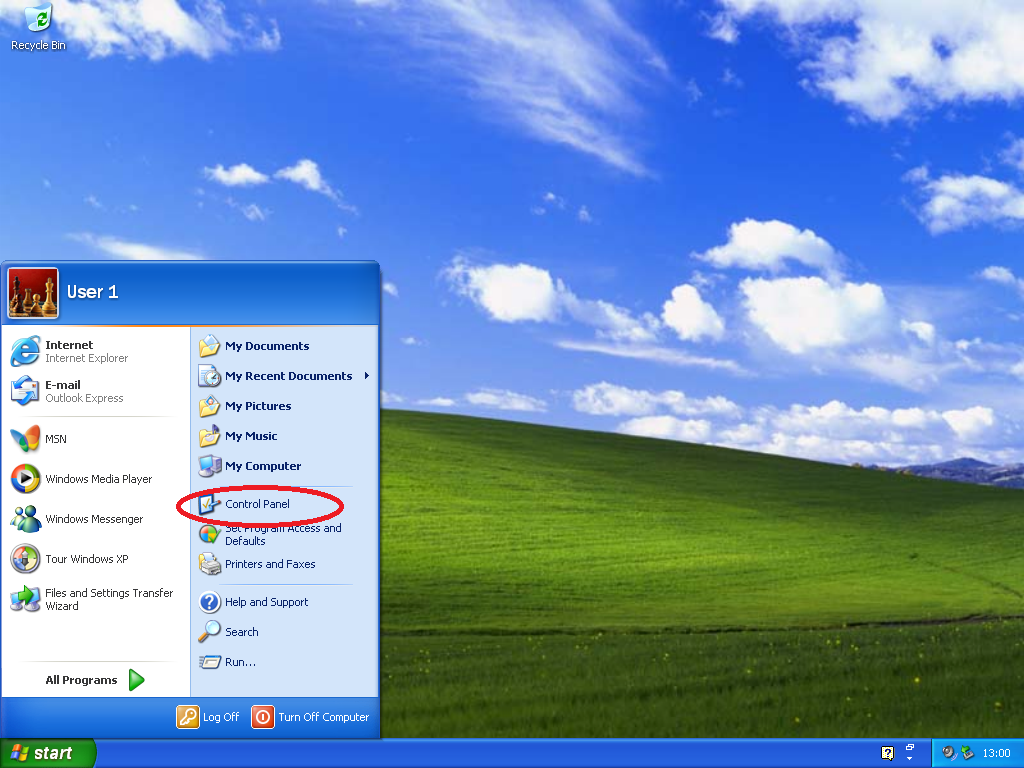
Click the start menu, then right click on “Control Panel”.
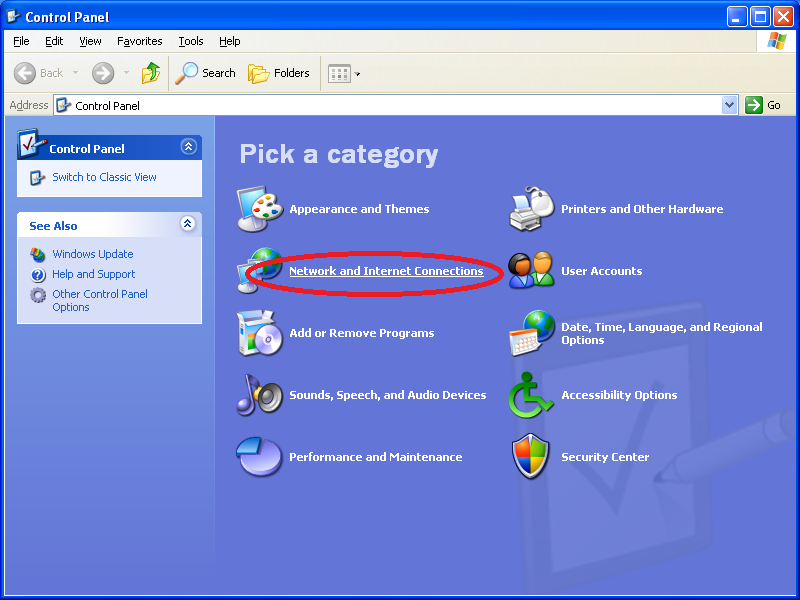
Choose “Netowork and Internet Connections”.
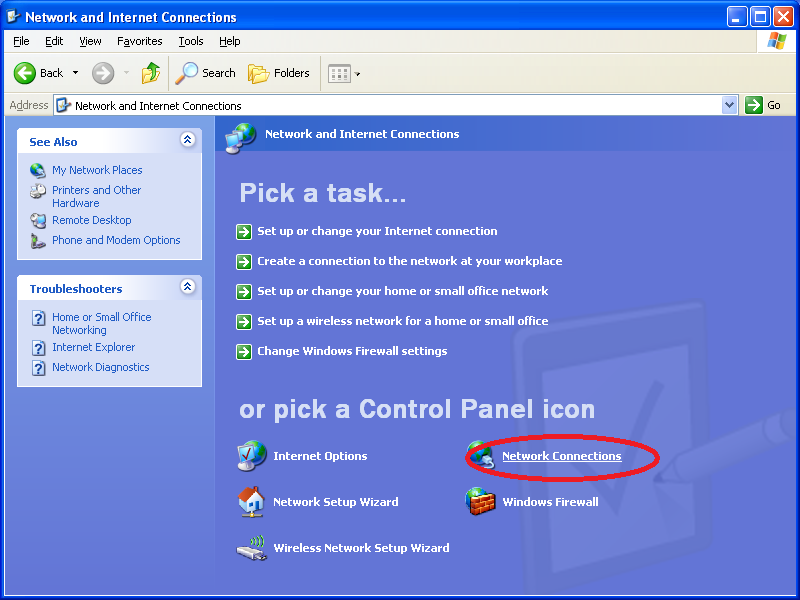
Choose “Netowork Connections”..
Double-click on “Local Area Connection”.
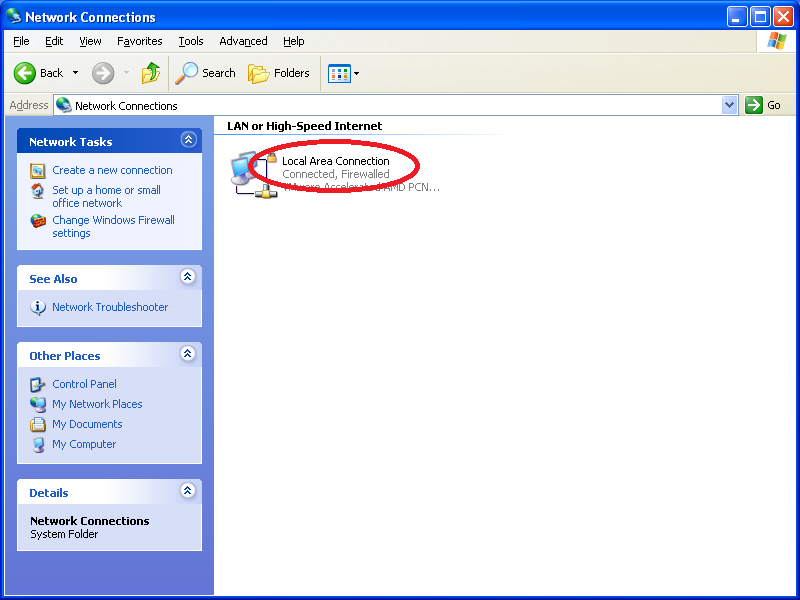
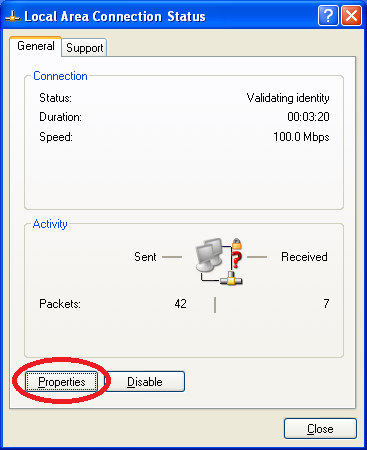
Click “Properties”.
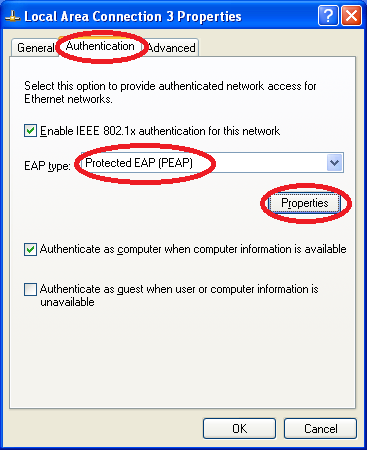
Choose the “Authentication” tab. Ensure that “EAP type” is set to “Protected EAP (PEAP)”. Click “Properties”.
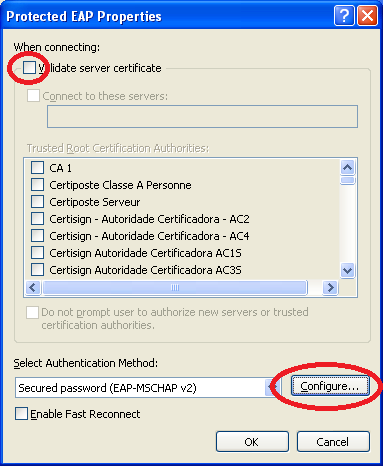
Uncheck the checkbox “Validate server certificate”. Click the “Configure” button.
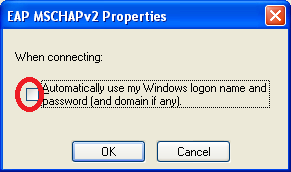
Uncheck the checkbox “Automatically use my Windows logon name and password (and domain if any)”. Click OK, and click OK to in the “ProtectProperties” dialog.
Wait a short while (usually 5-10 seconds), and a dialog should appear asking you to validate the server’s credentials. Click Connect.
Note: If this dialog does not appear within a minute, unplug and replug your network cable.
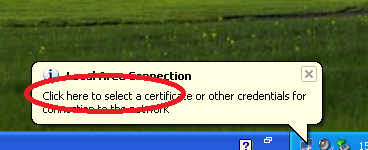
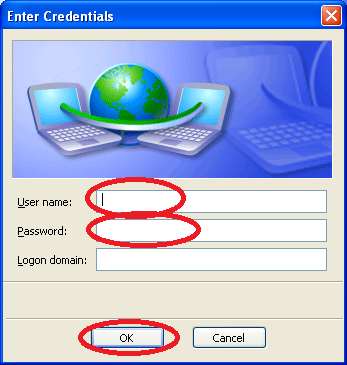
Set your username and password. Leave the “Logon domain” blank.